



GitHub Copilot Agent Adds Built-In Browser for Web App Testing Tasks
GitHub announced a key improvement on its Copilot coding agent, adding embedded web browser capability by integrating Playwright. This new upgrade, which has been made available in the open preview, gives agents the capability to engage with web applications and find bugs while also ensuring code verification. Due to the use of the Model Context Protocol (MCP) server framework, Copilot can continuously undertake sophisticated real-time tasks. The feature has been made available to all paying customers of Copilot, but unfortunately, enterprise administrators still have to enable it on a team-wide level.
Also read Microsoft Enhances OneNote with AI and DPI Features
Browser Integration Expands Copilot’s Autonomy
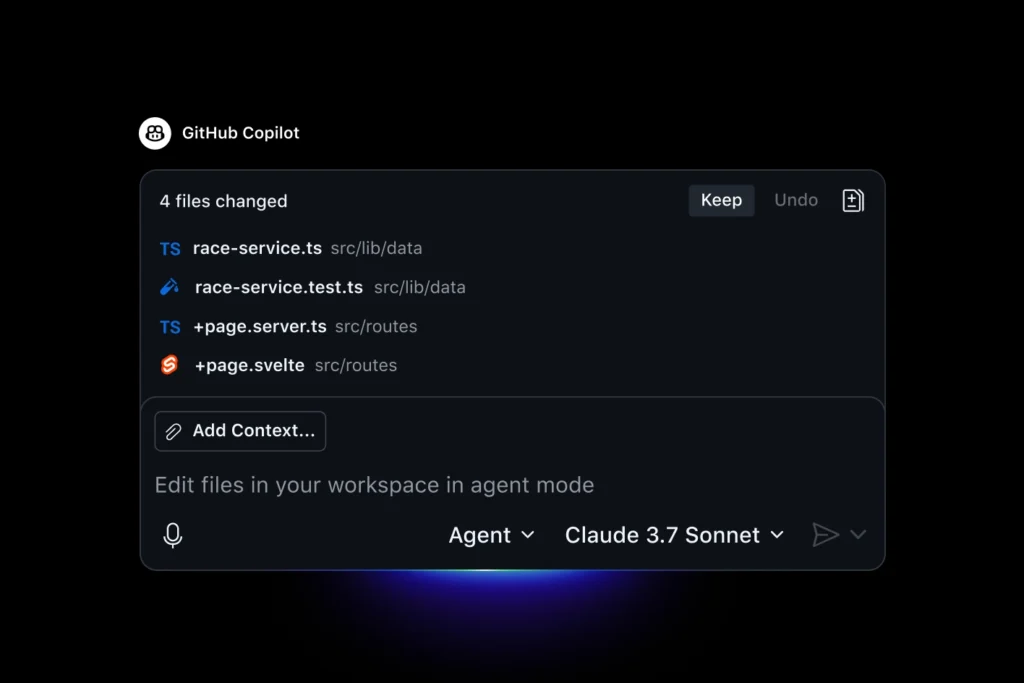
The recent announcement of the new feature of the GitHub Copilot coding agent was a significant milestone toward automated development processes. GitHub claims that because of the use of the Playwright MCP server, the agent works in a full interactive environment since it also provides access to a web browser. The escape agent is now capable of starting tasks in the development environment of its own and reproducing the interaction of a user in a web-based application.
This browser functionalities enable Copilot to create an ability to use a web interface, toggle through application procedures, and note how modifications perform in a live environment. GitHub noted that this feature is particularly helpful during debugging work because the agent is able to reproduce the problems according to task description, tests changes, and assure that solutions work as expected.
In the past, the UI change such as new UI or modifications to an existing user interface needed to be tested manually by developers or the developers had to use few automated scripts of testing. With this update Copilot makes that process automatic, carrying out browser-based validations and documenting what it does.
Also read Meta Offers $300M to Build Superintelligence AI Team
How Playwright and MCP Servers Power the Update
The core of the update is also the support of Playwright-it is a Node.js library designed by Microsoft to automate browsers. Github discovered that Copilot coding agent employs the playwright to maintain the illusion of interacting with the browser through clicking, typing, and web navigation within or between web pages. This will enable the AI agent to engage the web elements in a manner befitting that of a human tester.
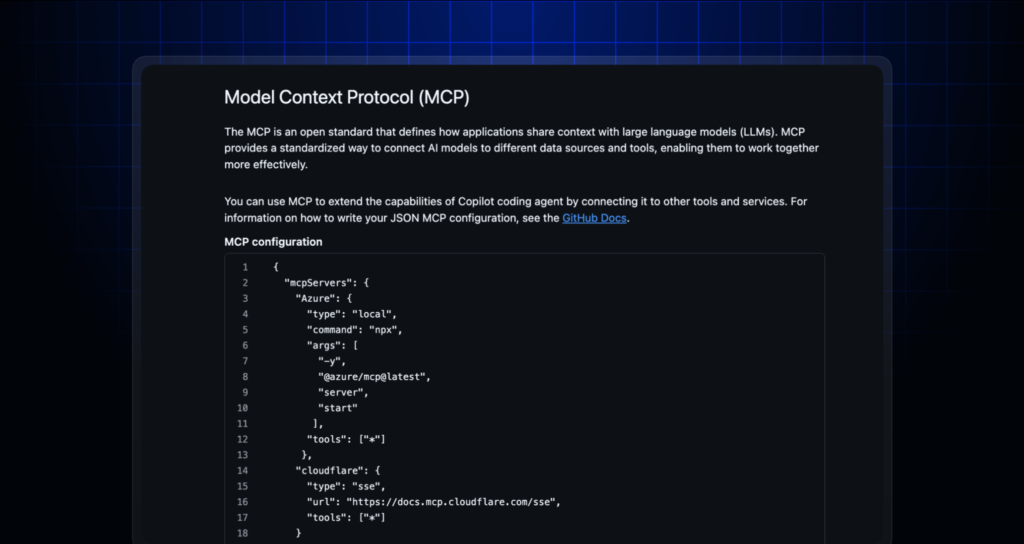
Accompanied by Playwright, the servers of GitHub Model Context Protocol (MCP) control the incorporation of new tools within the Copilot. Such servers constitute the environment of the agent and enable developers to expand it. Even though GitHub supports a default Playwright implementation through MCP server configuration, the user can set up their own Playwright servers to meet the requirements of an individual project.
According to GitHub, the configurations play a central role in ensuring flexibility and scalability of AI-aided development pipelines. With the help of MCP, the developers will be able to use other tools in addition to conducting the test of the browser in addition to maintaining the flows of Copilot.
Also read Grammarly Acquires Superhuman to Expand into AI-Powered Productivity Tools
Validating Code and Sharing Results Through Screenshots
One of the most incredible elements in this update is the capacity of Copilot to verify its outcomes and give a visual confirmation. In its testing sessions, GitHub also described that Copilot also logs all steps and takes screenshots of its interaction with the web interface. The images are then injected directly into pull-requests to provide developers with the clear understanding of testing outcomes of agents.
GitHub also posted scenarios of session logs where the coding agent went through browser tests and validated functionality as well as automatically wrote down what it did. This way, the agent aids teams in checking whether the changes were done correctly and working well through the adoption of screenshots.
Such degree of documentation does not only make code review activities much easier, but also enhances teamwork among developers. It decreases the ambiguity and, unlike with traditional test suites relying on automation, it gives tangible evidence of what the given AI agent did.
Public Preview and Access for Paid Users
GitHub has started the Copilot under the public preview program, which allows all paying users to access browser-based Copilot coding agent. The company believes that individual users who have any paid Copilot subscription can start using the new feature right now. Nonetheless, Copilot Business or Copilot Enterprise organizations require an administrator to open the feature in the system settings.
GitHub this time highlighted that Copilot expansion is the rollout in a wider-range strategy to enable Copilot to be a full-stack development assistant. Integrating both the generation of AI code and real browser automation and testing in real-time, the company strives to automate development processes and cut down on the number of unnecessary overheads associated with manual labor.
Since the feature is still at the stage of public preview, GitHub anticipates future feedback that would allow polishing its functionality. Customers are ready to become testers of Browser possibilities as of today, being able to experiment on the basis of default MCP setup or with the use of their own set up.
This trend in the AI-driven development of software is captured in the decision by GitHub to integrate browser support into its Copilot agent. It is the Copilot agent that transforms to a practical development helper by allowing interplaying with live applications, proofing the changes and displaying the results in visual form. This public preview heralds a significant change in productively applying AI to real-world software engineering since the technology is leveraged, not in the AI lab, but within the runtime environments that are already in use.