

... Skip to content
Edit Content
VTECZ website logo – AI tools, automation, trends, and artificial intelligence insights
  • AI Trends
  • AI Tools
  • How-To Guides
  • AI Tech
  • Business
  • Events
  • AI Trends
  • AI Tools
  • How-To Guides
  • AI Tech
  • Business
  • Events

Useful Links

  • About Us
  • Contact Us
  • Privacy & Policy
  • Disclaimer
  • Terms & Conditions
  • Advertise
  • Write for Us
  • Cookie Policy
  • Author Bio
  • Affiliate Disclosure
  • Editorial Policy
  • Sitemap
  • About Us
  • Contact Us
  • Privacy & Policy
  • Disclaimer
  • Terms & Conditions
  • Advertise
  • Write for Us
  • Cookie Policy
  • Author Bio
  • Affiliate Disclosure
  • Editorial Policy
  • Sitemap

Follow Us

Facebook X-twitter Youtube Instagram
VTECZ website logo – AI tools, automation, trends, and artificial intelligence insights
  • AI Trends
  • AI Tools
  • How-To Guides
  • AI Tech
  • Business
  • Events
Sign Up

Google Docs Adds Gemini AI Audio: Natural Voices, Playback Controls, and Workspace Rollout in August 2025

Ashish Singh by Ashish Singh
August 20, 2025
Share on FacebookShare on Twitter

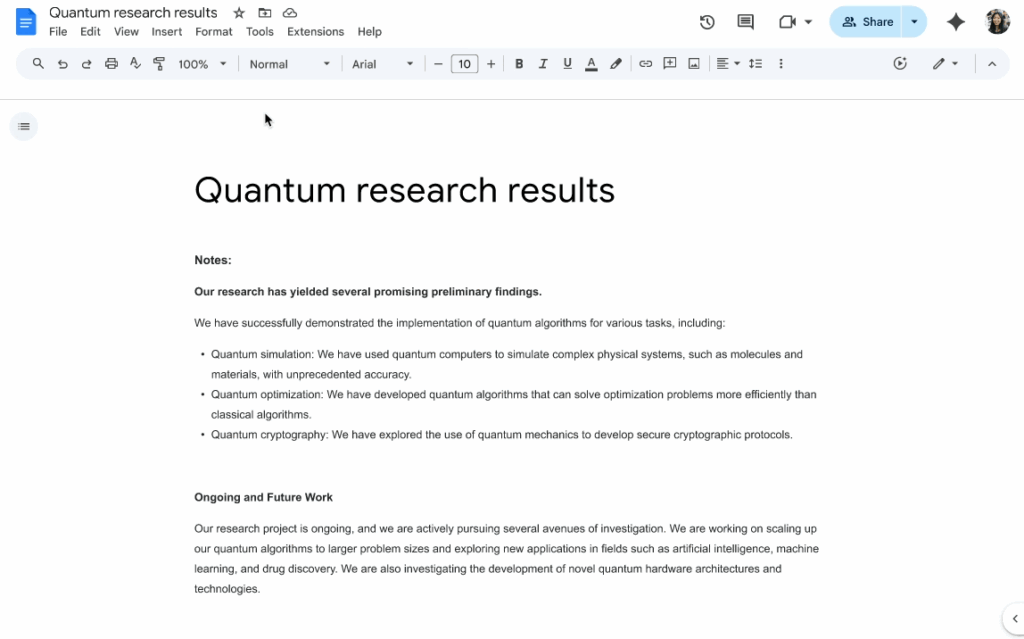
Google has added a new artificial intelligence feature to Docs that turns written files into spoken audio, aiming to make the platform more inclusive and productive. The update, powered by the company’s Gemini model, introduces natural-sounding narration with playback controls such as speed adjustment and pausing. Analysts say the integration strengthens Google’s productivity suite and gives it an edge in the growing competition with Microsoft. Early rollout has begun for select Workspace subscribers.
Read also:Google Unveils Gemma: Pint-Sized OpenAI Model for Lightweight AI Tasks — What Developers Need to Know in 2025

Google Docs Adds Gemini AI Audio: Natural Voices, Playback Controls

Creating audio in Google Docs

The new feature enables document authors to speak their manuscripts, as Google put it, right out of the Tools > Audio menu. When enabled, Gemini verbally reads the document out loud using human-like, intelligible voices, and some control over playback speed can be applied. A synchronized text-highlighting feature allows listeners to follow along line by line and creates an audiobook-like experience.Besides having playback in the menu, Google has also added a new Audio button option to documents, allowing document owners to offer such playback.

Read also:Google’s Gemini Overlay Gets Vibrant, Bubbly Redesign on Android in 2025 — First Look at UI Changes, User Reactions & Rollout Timeline

Authors are able to add a play button to their files with Insert > Audio button option The readers can then tab on the icon to listen by reading. The company has also lined up the ability to control the design of the button, such as labeling of buttons, size, and color to suit a specific layout of the document.The functionality is however initially limited to English and desktop users.

Accessibility and Productivity Gains

Industry experts believe the launch is a milestone in terms of accessibility Due to the capacity of visually impaired users to listen to written content directly in Docs, itdoes not require the use of third-party screen readers. The feature will help students/professionals who comprehend better by listening to absorb the information in a new manner. Another use case is highlighted by productivity specialists: proofreading.

Read also:How Jules, Google’s Gemini 2.5-Powered Coding Agent, Lets You Assign Multi-Step Code Tasks & Walk Away (No IDE Required)

Writers can also correct their draft or eliminate poor expressions that they would not have noticed when reading silently. It is also possible to view reports that have been worked on by a number of involved agents where multitasking rates are high because of not having to make manual edits to the documents. Google has restricted the access to high-end Workspace packages such as Business Standard, Business Plus, Enterprise Standard, Enterprise Plus, as well as certain education packages. It is also included in packages of Google AI Pro and Google AI Ultra. The company also assured customers that Gemini Business and Gemini Enterprise add-ons are no longer sold but can be used by existing customers.
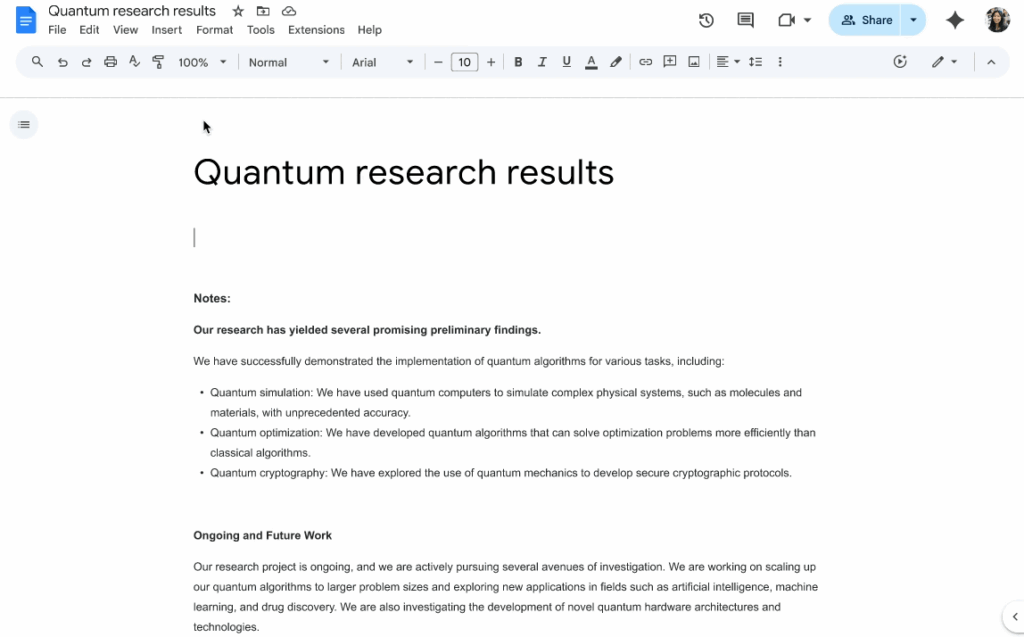
Turning Text into Audio in Docs

Competition and Future Projection

This addition of AI audio is accompanied by Google increasing competition with Microsoft in the area of productivity software. Such narration tools have been announced by Microsoft via Copilot assistant in Word and PowerPoint. This move to expand Gemini to Docs is an indication that Google is still keen on catching up with the competition when it comes to the creation of multi-modal, AI-forged work spaces. The enterprise has emphasized that the audio processing occurs in a secure environment within Workspace and it is protected data enterprise-level security. According to security analysts, this is the main guarantee that business and education clients who have sensitive information would appreciate.

In the future, Google has suggested that the audio capabilities of Gemini could extends to real-time translations, and interactive playback where the user could pose questions to the text to be asked as they read. In the case it comes to fruition, such tools could change the way documents are being consumed globally in classrooms, as well as boardrooms. Implementation is to take place in two phases. On the Rapid Release domains, the feature started to be visible on 2025-08-18, and was completely selectable after three days. In the case of Scheduled Release domains, rollout will begin on August 25, 2025, and take the identical course. The administrators of workspaces should guarantee that the use of smart features and personalization are allowed in the Admin console so that users will visit Gemini on Docs.


FAQs

What is the new Gemini AI audio feature in Google Docs?

Google Docs now allows Workspace users to convert written documents into natural-sounding audio with voice options, playback controls, and text highlighting.

Who can access the Gemini AI audio tool in Docs?

The feature is available to select Workspace plans, including Business Standard, Business Plus, Enterprise Standard, Enterprise Plus, and Gemini Education tiers.

How do you generate audio in Google Docs using Gemini AI?

Users can access the feature from the Tools > Audio menu or insert a playback button into documents through the Insert > Audio button option.

Is the Gemini AI audio update in Google Docs available worldwide?

At launch in August 2025, the tool supports only English and desktop platforms, with additional languages and devices expected in future updates.
Ashish Singh

Ashish Singh

Ashish — Senior Writer & Industrial Domain Expert Ashish is a seasoned professional with over 7 years of industrial experience combined with a strong passion for writing. He specializes in creating high-quality, detailed content covering industrial technologies, process automation, and emerging tech trends. Ashish’s unique blend of industry knowledge and professional writing skills ensures that readers receive insightful and practical information backed by real-world expertise. Highlights: 7+ years of industrial domain experience Expert in technology and industrial process content Skilled in SEO-driven, professional writing Leads editorial quality and content accuracy at The Mainland Moment

Next Post
AI-powered U.S. factory floor with smart machines, predictive maintenance systems, and autonomous robots driving efficiency.

How AI in Manufacturing Is Revolutionizing Factories in 2025 — From Predictive Maintenance to Fully Autonomous Production Lines

Leave a Reply Cancel reply

Your email address will not be published. Required fields are marked *

Recommended.

Close-up of healthy green grass blades under natural sunlight, showing vibrant grass color and rich texture.

Ask AI: Why is Grass Green? Unraveling Nature’s Mystery with Artificial Intelligence (Simple Explanation)

August 2, 2025
Gnoppix Linux desktop with AI integration and Xfce interface running on a laptop.

Gnoppix: The Easiest Way to Run AI on Linux – With One Important Limitation

September 9, 2025

Trending.

AI text remover tool in WPS Photos seamlessly removing text from an image background

Recraft AI Magic: Can You Really Remove Text from Images Seamlessly? (Step-by-Step Tutorial)

August 1, 2025
Global experts, investors, and startups gather at the AI Innovators Summit 2026 California in San Francisco to shape the future of AI.

AI Innovators Summit 2026 California: Where Next-Gen AI Tools Meet Venture Capital, Universities & Silicon Valley Disruption

September 9, 2025
Oracle signs the landmark deal with OpenAI

Developer’s Edge: How to Integrate Your OpenAI API Key into Xcode Apps (A US Guide for 2025)

August 2, 2025
California students weigh ethical concerns around using AI tools like ChatGPT to write college essays.

College Admissions Under Fire: Do US Universities Really Check for AI in Application Essays? (Insider Info)

July 29, 2025
Top 7 Questions You Should Never Ask ChatGPT or Any AI Chatbot

Top 7 Questions You Should Never Ask ChatGPT or Any AI Chatbot

July 23, 2025
VTECZ website logo – AI tools, automation, trends, and artificial intelligence insights

Welcome to Vtecz – Your Gateway to the World of Artificial Intelligence
At Vtecz, we bring you the latest updates, insights, and innovations from the ever-evolving world of Artificial Intelligence. Whether you’re a tech enthusiast, a developer, or just curious about AI.

  • AI Trends
  • AI Tools
  • How-To Guides
  • AI Tech
  • Business
  • Events
  • AI Trends
  • AI Tools
  • How-To Guides
  • AI Tech
  • Business
  • Events
  • About Us
  • Contact Us
  • Privacy & Policy
  • Disclaimer
  • Terms & Conditions
  • Advertise
  • Write for Us
  • Cookie Policy
  • Author Bio
  • Affiliate Disclosure
  • Editorial Policy
  • Sitemap
  • About Us
  • Contact Us
  • Privacy & Policy
  • Disclaimer
  • Terms & Conditions
  • Advertise
  • Write for Us
  • Cookie Policy
  • Author Bio
  • Affiliate Disclosure
  • Editorial Policy
  • Sitemap

Why Choose us?

  • Trending AI News
  • Breakthroughs in Machine Learning & Robotics
  • Cutting-edge AI Tools and Reviews
  • Deep Dives into Emerging AI Technologies

Stay ahead with daily blogs that simplify complex topics, analyze industry trends, and showcase how AI is shaping the future.
Vtecz is more than a blog—it’s your daily AI companion.

Copyright © 2026 VTECZ | Powered by VTECZ
VTECZ website logo – AI tools, automation, trends, and artificial intelligence insights
Icon-facebook Instagram X-twitter Icon-linkedin Threads Youtube Whatsapp
No Result
View All Result
  • AI Trends
  • AI Tools
  • How-To Guides
  • AI Tech
  • Business
  • Events

© 2025 Vtecz. All rights reserved.

Newsletter

Subscribe to our weekly newsletter below and never miss the latest news an exclusive offer.

Enter your email address

Thanks, I’m not interested

Seraphinite AcceleratorOptimized by Seraphinite Accelerator
Turns on site high speed to be attractive for people and search engines.